

Table of Contents
- What to Look for When Inspecting Screen Printing Quality
- How to Tell If a T-Shirt Is High Quality Beyond the Print
- Screen-Printed Shirt Durability: What to Test Before Buying
- Screen Printing vs. Direct-to-Garment Printing: Quality Differences
- How to Wash Screen-Printed Shirts to Preserve Print Quality
- Your Quality Inspection Checklist for Screen-Printed Apparel
- Frequently Asked Questions
Last Updated: October 12, 2026
What to Look for When Inspecting Screen Printing Quality
To spot quality screen printing, it comes down to what you can see and feel.
To spot quality screen printing, hold the shirt to natural light, check edge definition and color consistency, then run your fingers over the design.
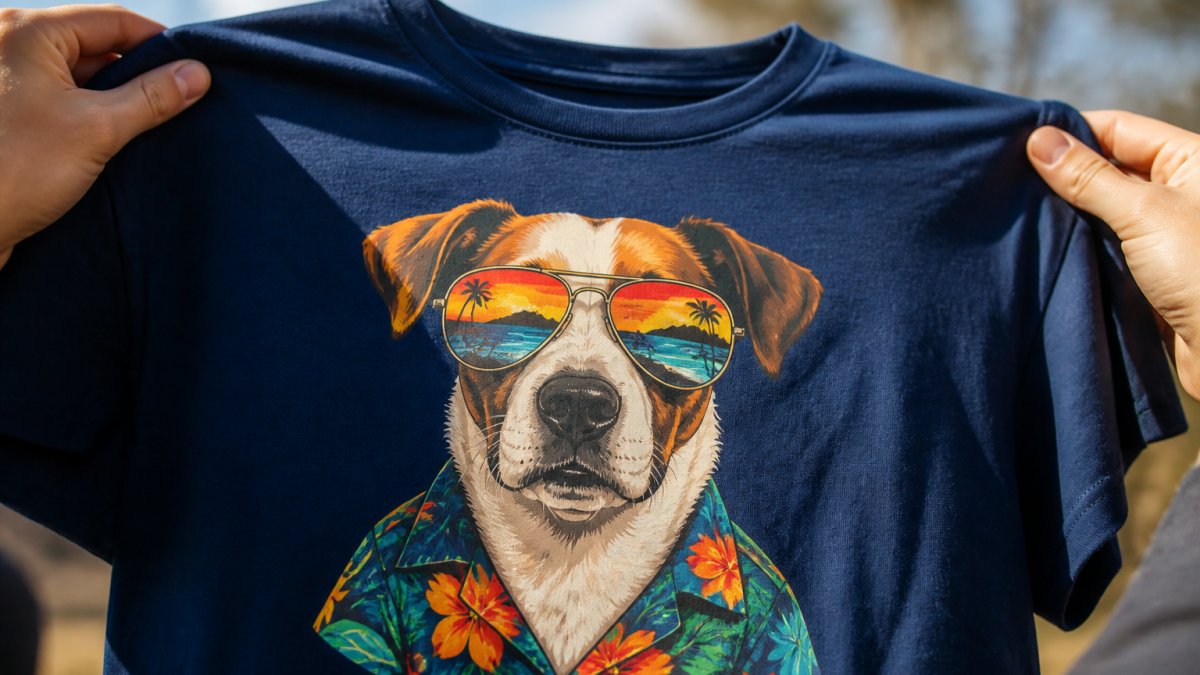
Crisp Edges and Sharp Line Definition
Crisp edges are the easiest quality marker to spot.
Run your finger along the edge: quality screen printing has a clear boundary between printed and unprinted areas, not ink fading into fabric.
Fine detail reveals overall quality. Small text, thin lines, and intricate patterns fail first under poor printing conditions; a printer who nails them has mastered mesh count, screen exposure, and ink viscosity.
Color Vibrancy and Consistency
Vibrant colors matter, but consistency matters more. View the design from different angles and lighting: lighter patches, darker spots, or color variations signal a problem.
Inconsistent coverage usually means a rushed process or worn screens. Ink should sit evenly across the design, especially on all-over prints and large color blocks.
Color separation, breaking artwork into individual color layers, affects vibrancy.
Ink Coverage and Opacity
Opacity means the print fully covers the fabric underneath.
A quality print has solid opacity on the first layer, which matters most on dark fabrics where thin coverage looks washed out.
Even ink coverage is another quality sign. Uneven coverage points to improper screen pressure, inconsistent squeegee technique, or a poorly tensioned screen.
How to Tell If a T-Shirt Is High Quality Beyond the Print
A high-quality screen-printed shirt isn't just about the print. A perfect print on a cheap, thin shirt won't feel premium or last long.
Fabric Hand Feel and Softness
Pick up the shirt. Hand feel is the tactile sensation of the fabric: premium shirts feel soft against the skin, not stiff, thin, or scratchy.
Quality fabrics are thicker and more densely woven. Run the shirt between your fingers: cheap shirts feel papery or flimsy, while a quality garment has weight and substance.
Softness comes from fiber type and finishing. Cotton blends, ring-spun cotton, and pre-shrunk fabrics all contribute.
Garment Construction and Stitching
Examine the seams: they should be straight, even, and flat.
Check the neckline and armholes, high-stress areas that should have reinforced stitching, clean finished edges, and double-stitched seams.
The collar should be sturdy. A flimsy collar stretches out after a few washes; quality garments use thicker collar material and proper construction to hold shape.
Screen-Printed Shirt Durability: What to Test Before Buying
Durability is where the rubber meets the road: a beautiful print that fades after three washes isn't a quality purchase. Here's a repeatable protocol with pass/fail criteria for any sample.
The Stretch Test: Pass/Fail Criteria
This test shows whether your print will crack under normal wear.
Stretch the design horizontally, vertically, and diagonally, watching for white cracks and listening for popping sounds.
Pass/fail thresholds:
- Pass: The print stretches with the fabric and returns to its original shape with no visible white lines or cracks. Minor surface texture changes that disappear when released are acceptable.
- Marginal: Faint white lines appear at maximum stretch but disappear when the fabric relaxes. This indicates the ink is nearing its elongation limit, acceptable for low-stress placements like a back print, but risky for chest or sleeve prints.
- Fail: Visible cracks remain after the fabric relaxes, or you hear audible popping. This means the ink is under-cured or the wrong ink type was used for the fabric. Request a reprint or switch printers.
This test matters most for designs that see movement: a chest logo on an active wearer stretches constantly, while a back print sees less stress.
The Wash Durability Test: A 5-Wash Protocol
Request a sample and wash it before placing a large order: warm water with similar colors, gentle cycle, normal dry without high heat on the print area.
After washing, inspect closely for fading, fuzzy edges, lost opacity, cracking, or peeling. A quality print should look nearly identical after one wash.
Repeat 5-10 times for a realistic picture of the shirt's lifespan.
What to record after each wash:
- Color shift: Compare the washed sample to an unwashed control under the same lighting. A slight dulling after 5 washes is normal. Significant fading after 1-2 washes points to under-curing or low-quality ink.
- Edge integrity: Crisp edges should remain crisp. If edges become fuzzy or the print bleeds into the fabric, the ink may not have fully cured.
- Cracking pattern: Small hairline cracks at stress points (shoulders, chest) after 5+ washes are common. Cracks that appear after 1 wash or cover the entire design indicate a curing failure.
Distinguishing Print Defects from Garment or Design Limitations
Before blaming the printer, rule out factors that aren't print defects.
Fabric texture: A print on slub or heathered fabric shows the fabric's texture through the ink.
Garment color: Dark garments require an underbase, so a slight halo or thicker hand feel at the edges is normal.
All-over print seams: Prints crossing seams, zippers, or pockets break or distort at those points.
Defect Severity: What's Cosmetic vs. What Affects Wear
Not every flaw is a dealbreaker. Use this framework to accept, discount, or reject a batch.
| Defect | Severity | Action |
|---|---|---|
| Minor color shift across a large order | Cosmetic | Accept if within an agreed tolerance (e.g., Pantone match within 2-3 Delta E) |
| Slight edge roughness on textured fabric | Cosmetic | Accept, inherent to the fabric |
| Visible underbase halo on dark garments | Cosmetic to marginal | Request a reprint if it's prominent; minor halos are common |
| Hairline cracks after 5+ washes | Marginal | Accept for low-stress placements; reject for high-stretch areas |
| Cracking after 1 wash | Wear-affecting | Reject, indicates curing failure |
| Peeling or lifting ink | Wear-affecting | Reject, adhesion failure |
| Misregistration (colors offset) | Wear-affecting if severe | Reject if visible at arm's length; minor offset may be acceptable |
| Incomplete coverage (fabric showing through) | Wear-affecting | Reject, opacity failure |
Troubleshooting: What to Do When a Print Fails
If a sample or batch fails inspection, here's how to diagnose the cause and what to ask your printer.
- Cracking after washing: Ask about cure temperature and dwell time. Most plastisol inks need 320°F at the ink film; under-curing is the most common cause.
- Fading after washing: Ask about ink type and whether a bleed-resistant underbase was used.
- Peeling at edges: Ask about ink adhesion and pre-treatment; some fabrics need a catalyst or special ink.
Screen Printing vs. Direct-to-Garment Printing: Quality Differences
Direct-to-garment (DTG) printing is a different technology with different results. Understanding the differences helps you choose the right method, and avoid judging a DTG print by screen printing standards, or vice versa.
Screen printing applies ink through a mesh screen; DTG uses an inkjet printer that sprays ink directly onto fabric. Each has distinct quality characteristics.
How the Two Methods Differ in Quality Markers
| Quality Marker | Screen Printing | DTG Printing |
|---|---|---|
| Edge definition | Crisp, sharp edges | Softer edges, slight halo |
| Color vibrancy | High, especially on dark fabrics with underbase | Good on light fabrics; less vibrant on dark |
| Hand feel | Can be thick or soft depending on ink and mesh | Very soft, ink absorbs into fabric |
| Opacity | Excellent with proper underbase | Can be translucent on dark fabrics |
| Durability | Excellent when properly cured | Good, but can fade faster with washing |
| Fine detail | Limited by mesh count | Excellent for fine detail and gradients |
| Setup cost | High (screens per color) | Low (no screens) |
| Per-unit cost at scale | Low | Higher |
What This Means for Spotting Quality
Don't expect DTG prints to have the crisp edges of screen printing. DTG edges are slightly soft because ink is sprayed and absorbed, that's the process, not a defect.
DTG prints can still have real defects: banding (horizontal lines from clogged nozzles), inconsistent color, and poor opacity on dark garments.
When inspecting a screen print, expect crisp edges and solid opacity.
Choosing the Right Method for Your Design
For pet-themed designs with bold, punchy colors, screen printing delivers superior vibrancy and longevity. DTG suits photo-realistic or highly detailed artwork. Match the method to your design complexity and durability needs.
When screen printing wins:
- Bold, solid-color designs
- Large orders (50+ units)
- Dark garments where opacity matters
When DTG wins:
- Photo-realistic or highly detailed artwork
- Small orders (under 20 units)
- Light-colored garments
Screen printing has higher setup costs but lower per-unit costs at scale; DTG has minimal setup but higher per-unit costs. For bulk orders, screen printing usually wins on price and quality; for small quantities or highly detailed designs, DTG is more practical.
A Note on Hybrid Printing
Some printers combine both methods: screen print an underbase, then DTG the detailed color on top for screen-printing opacity with DTG detail. When evaluating a hybrid print, ask which parts were screen printed and which were DTG, quality expectations differ per layer.
How to Wash Screen-Printed Shirts to Preserve Print Quality
Washing technique directly impacts how long a quality screen-printed shirt lasts, for both the garment and the print.
Temperature and Cycle Settings
Wash in cold water. Hot water accelerates fading and weakens ink adhesion; cold water protects fabric and print color.
Use a gentle or delicate cycle. Aggressive washing stresses the print and causes cracking or peeling over time.
Wash with like colors. Mixing bright and dark garments causes dye transfer; similar colors protect the shirt and print from staining.
Drying and Storage
Air dry when possible. Dryer heat damages the print and shrinks the garment; laying flat or hanging preserves print quality and fabric integrity.
If you must use a dryer, use low heat and remove the shirt while slightly damp.
Store in a cool, dry place away from direct sunlight, which fades prints.
Your Quality Inspection Checklist for Screen-Printed Apparel
Use this checklist before you buy or approve a bulk order. A quality shirt should pass all these checks.
| Quality Marker | What to Check | Pass / Fail |
|---|---|---|
| Edge Definition | Crisp, sharp edges with no blurring or sawtooth patterns | ☐ Pass ☐ Fail |
| Color Vibrancy | Bright, consistent color across entire design | ☐ Pass ☐ Fail |
| Ink Opacity | Solid coverage with no fabric showing through | ☐ Pass ☐ Fail |
| Fine Detail | Small text and thin lines are sharp and clear | ☐ Pass ☐ Fail |
| Fabric Hand Feel | Soft, substantial fabric that feels premium | ☐ Pass ☐ Fail |
| Stitching Quality | Straight, even seams with no puckering | ☐ Pass ☐ Fail |
| Stretch Test | Print flexes without cracking when stretched | ☐ Pass ☐ Fail |
| Wash Test (1 wash) | Print maintains color and opacity after washing | ☐ Pass ☐ Fail |
Use this checklist for every purchase or bulk order.
Spotting quality screen printing protects your investment. Examine edges, colors, opacity, and durability carefully, and you'll make smarter purchasing decisions.
We apply these same standards to every design we produce.
Frequently Asked Questions
How can you tell if a screen print will crack or peel?
Quality screen prints pass the stretch test: gently pull the fabric in different directions. The print should flex with the garment without cracking. Poor adhesion shows immediate stress lines or white cracks in the ink. Also examine the edges where the print meets bare fabric, they should be sharp and adhered, not lifting or separating. After washing, check if the ink is peeling at the edges or showing loss of opacity.
What should a good screen print look and feel like?
A quality screen-printed shirt has crisp, sharp edges with no blurring or sawtooth lines. Colors should be vibrant and evenly distributed with consistent opacity across the design. The hand feel should be soft and flexible, not stiff or plasticky. Run your finger over the print, it should feel smooth and well-cured, adhered firmly to the fabric without lifting. Fine details should be clear, and registration between colors should be precise with no misalignment.
How should you wash a screen-printed shirt to make the design last?
Turn the shirt inside out before washing to protect the print. Use cold water on a gentle cycle and avoid bleach or harsh detergents. Wash with similar colors to prevent dye transfer. Skip the dryer if possible, air dry flat or hang to prevent heat damage to the ink adhesion. If you must use a dryer, use low heat. Avoid ironing directly over the print. Proper washing preserves ink opacity and prevents cracking or fading.
Does screen-printing quality depend on the type of t-shirt?
Yes, significantly. Premium garments with tighter weaves and higher-quality fabric produce sharper prints and better ink adhesion than cheap basics. Fabric composition matters too, 100% cotton or quality blends hold screen prints better than low-grade synthetics. Garment weight and construction affect how the print wears over time. A well-made shirt with proper stitching and balanced fabric tension will showcase the print quality better and maintain durability through washing.